Sunday Letter
Why Your Password Is All Wrong
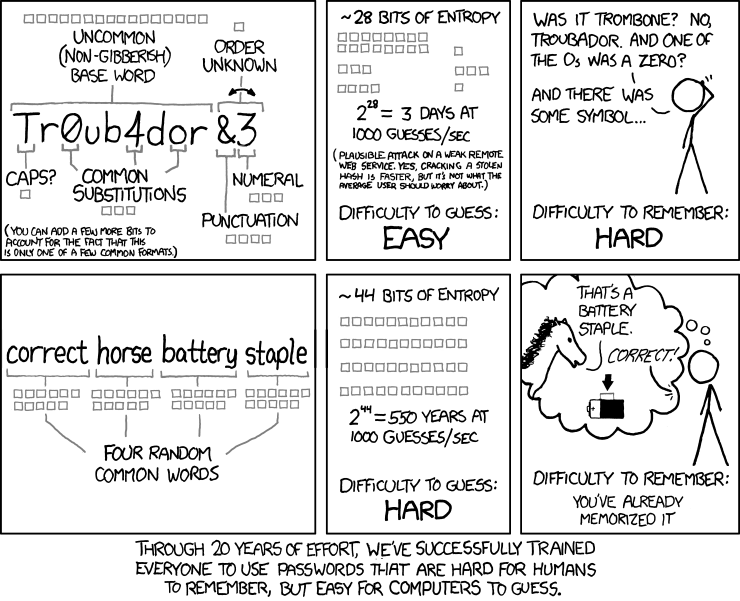
Dear reader, We’ve all been told that the most secure passwords look like gibberish: g&Pt!2Zt. Unfortunately, that is no longer true. In simple terms, most password attacks are “brute-force” attempts that simply try every possible combination. You can calculate the difficulty of such an attempt (and thus password security) by multiplying the length of the password, by the number of possibilities for each character.
If you use only lowercase alphabets, there are 26 possible characters. Using uppercase and special characters dramatically increases the choice set. This pales in comparison, however, to the security of simply using a longer password. Four randomly chosen words are much easier for us humans to remember, but are almost impossible for a computer to guess (if the words are truly chosen at random, and not part of a common phrase or quote).
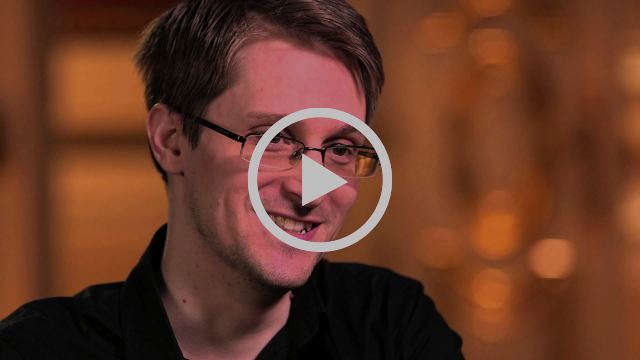
Edward Snowden explains why you should use Passphrases, not Passwords.
Of course, there are many things a well-designed security system will use to make it exponentially harder for a brute-force attack to succeed. The first is simply to ensure that the encrypted file does not fall into the wrong hands. Further steps such as “salting” the encrypted hash and using various algorithms that force brute force attacks to run slowly can make a brute-force attack basically impossible.
Leaving aside all the technical specifics, one of the easiest things that you can do right now to dramatically increase the security of most of your accounts is to turn on two-factor authentication (2FA). This relies on combining something you know (a password) with something you have (a device). Further factors, such as something you are (biometrics) can also be added in.
You are probably familiar with getting SMS codes whenever you have to log into your online banking portal. This is one example of 2FA. Unfortunately, SMS codes are extremely insecure, and are simple to intercept. The current standard of generating 2FA codes relies on an application that generates a similar time-based code, such as Google Authenticator. Alternatively hardware devices, such as the Yubikey, can be used as a 2FA device, without requiring a code.
“‘Well, I reckon you should –’ Ron began, but he was interrupted by the Fat Lady, who had been watching them sleepily and now burst out, ‘Are you going to give me the password or will I have to stay awake all night waiting for you to finish your conversation?’”
– J.K. Rowling, Harry Potter and the Order of the Phoenix
So, you must be thinking: just how am I supposed to remember all those passwords and generate all those codes? I strongly recommend using a password manager, such as 1Password. It is perhaps the single easiest and most powerful way you can dramatically increase the security of your online accounts and information (which these days is basically everything).
Of course, the ultimate defence is keeping a database offline and air-gapped from any external networks, the way the Fusang Vault stores private keys for digital assets.
Just don’t use “correct horse battery staple” as your password.
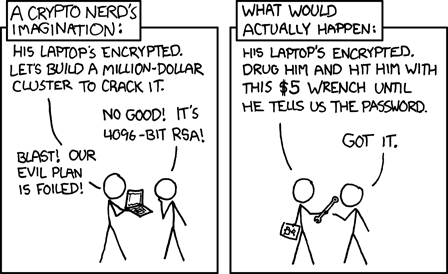
And don’t forget which bit of security is ultimately the weakest link…
Yours Sincerely,
Henry Chong